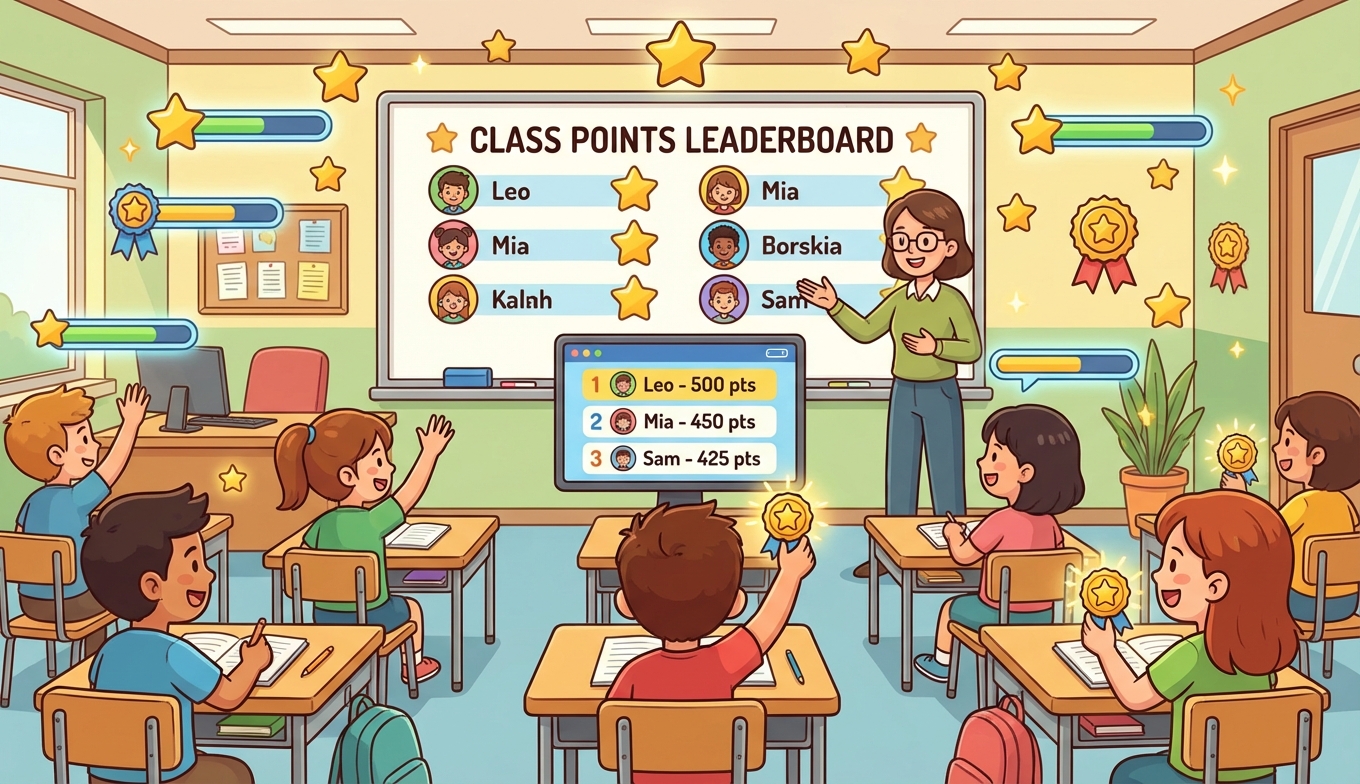
A class that’s gamified well doesn’t look like a class on Monday morning. Kids walk in, glance at the board to see where they sit on the leaderboard, ask whether the bonus quest is still open, compare badges. Homework completion stops being a fight. Quiet kids start participating because they’ve found a thing they can earn points for.
Teachers have been borrowing ideas from video games for years now. Points, levels, quests, the bits that keep kids glued to their screens after school. None of it is new. What’s changed is how easy it’s become to actually run.

Why It Works
Grades, gold stars, and detention all share a problem. They reward or punish a single outcome and ignore everything in between. A kid can work hard for a week and get a C, or coast and get a B, and the system is silent on the difference.
Game mechanics fill in that gap. They make effort visible — a student who helped three classmates this week sees that recognized today, not at the end of the term. They give multiple paths to feeling successful, which matters in a room where some kids are strong readers, some are good at math, some are the ones everyone goes to when there’s a conflict to sort out. And they tap into something teenagers already understand: progress bars, XP, levels. You’re not introducing a new system. You’re using one they already speak.
There’s research worth reading on this — the psychology of competition goes deeper into why a public ranking moves behavior the way it does. But you don’t need a study to confirm what most teachers can see in a week: small, visible, frequent feedback works.
Points
Points are the simplest mechanic and the one to start with. They translate effort into a number that students can watch tick up.
The trap is making it too complicated. Five categories with seven sub-types and a multiplier table will lose everyone in the first week. Pick three or four behaviors you want to encourage — turning in homework, helping a classmate, contributing in class, taking on bonus work — and assign each a point value that’s roughly proportional to the effort involved. That’s enough.
A note on what to reward: if you only give points for correct answers, the kids who already get correct answers will dominate, and the kids who don’t will tune out. Effort and improvement points solve this. A student who attempts a hard problem gets credit for trying. A student who improves their quiz score from 50 to 70 gets credit for the jump, the same way the kid who went 90 to 95 does.
Badges
Badges work when they recognize something specific. “Great student” is a participation trophy. “Solved 100 problems,” “Improved 20% on a unit test,” “Helped 10 classmates this month” — those mean something, because the kid did the thing and the badge proves it.
The unglamorous stuff is often the most useful to badge. Showing up on time. Submitting work without being asked twice. Asking a question instead of staying quiet. These are habits more than achievements, but they’re the habits you actually want.
Leaderboards
A leaderboard is the most powerful piece of this and also the easiest to misuse. A single all-time ranking where the same three kids are always in the top three will demoralize the rest of the class by week two.
The fix is variety. Run a weekly leaderboard so it resets and gives everyone a fresh start. Run an “improvement” leaderboard alongside the absolute one — the kid who jumped 30 places gets visibility, not just the kid who’s been #1 since September. Run team leaderboards so cooperation gets points. Run subject-specific ones so the strong reader and the strong mathematician can both be at the top of something.
Some kids genuinely don’t enjoy public ranking. That’s fine. Make a private opt-out available — they can still earn points, they just don’t show up on the wall. Forcing a kid who hates competition into a public ranking is not what gamification is for.
Getting Started
Don’t try to launch a full system on day one. Pick one class and one mechanic. Put a simple point tracker on the whiteboard or a screen, decide on three or four point-earning behaviors, and run it for a week or two with no other moving parts.
After kids are comfortable with how points work, add a small set of badges. After badges, introduce a leaderboard. After the leaderboard is settling in, you can start playing with team competitions, weekly challenges, and themed seasons. The mistake is to go all-in on launch day with a 40-page rulebook nobody reads.
Ask the class what rewards would matter to them, what badge categories make sense, what the team names should be. The system runs better when students helped design it.
Common Concerns
What about students who fall behind? Gamification done badly leaves them further behind. Done well, it pulls them in, because effort and improvement points create paths to recognition that grades alone don’t. A struggling student who attempts a hard problem and earns persistence points gets a different signal than the same student handing back a graded paper with a 40 on it.
Doesn’t this trivialize learning? Only if the points reward shallow things. If your point system pays out for memorizing capitals but not for understanding why borders moved, you’ll get capital-memorizers. The mechanics amplify whatever behavior you point them at, so be deliberate about what you’re encouraging.
How do I manage all this? A whiteboard and a marker is enough to start. As you scale up, you’ll want something that handles the leaderboard for you. Our guide to gamification tools goes through the main options if you’re comparing.
What about grades? Game points don’t replace grades. They run in parallel. Points might convert to participation marks or extra credit, but the actual academic assessment stays where it is. Game elements drive the learning behavior, then the normal assessment measures what was learned.
Tools
ClassDojo handles classroom behavior tracking with parent communication. Classcraft goes further and frames the whole year as an RPG. Kahoot is the standby for live quiz competitions. For a straightforward visual leaderboard you can stick on a classroom screen, Leaderboarded works without student logins and has a free tier for teachers.
If you’re teaching a specific subject, the dedicated tools are usually better than a general gamification platform. Prodigy and Khan Academy for maths. Epic and ReadTheory for reading. Legends of Learning for science.

Watch For
Stress about points instead of motivation from them. Competition turning into bullying. The same kids winning everything every week. Focus shifting from learning to gaming the rules. None of these mean gamification is broken — they mean the current setup needs adjusting. Tweak the point values, change the leaderboard categories, refresh the badges. Game designers patch their games constantly. Yours should change too.
Worth It
The kids who never raised their hands start raising them. The struggling reader earns a persistence badge in front of the class and you watch her sit up straighter for the rest of the day. Behaviour issues drop because most behaviour issues are kids looking for attention, and a points system gives them a productive way to get it.
You don’t need a budget or a technical setup to start. One class, three behaviors worth points, a whiteboard. Try it for two weeks. Then decide whether to keep going.
If you want a leaderboard that handles itself, try Leaderboarded free. No student accounts to set up.